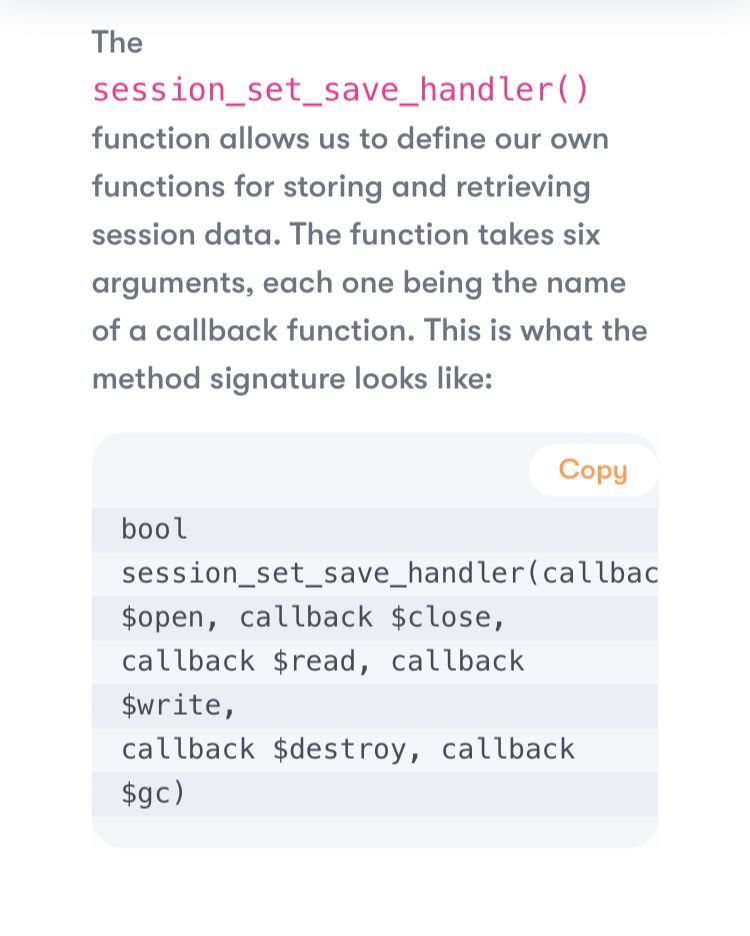
PHP native session handling with session_set_save_handler() allows you to store session data in MongoDB instead of the default PHP session files.
The normal PHP functions remain the same:
session_start()— starts or resumes a session.$_SESSION[]— stores and retrieves session variables.session_set_save_handler()— registers a custom handler for storing sessions.
Important: The PHP function is named session_set_save_handler(), not http_session_save_handler().
1. Normal PHP session example
Create a file named normal_session.php.
<?php
session_start();

$_SESSION['username'] = 'Rahul';
$_SESSION['course'] = 'BCA';

echo "Username: " . $_SESSION['username'];
echo "<br>Course: " . $_SESSION['course'];
?>
Output:
Username: Rahul
Course: BCA
By default, PHP stores the session data in server-side session files.
2. PHP session handling using MongoDB
This example uses session_set_save_handler() to save session data in a MongoDB collection.
Step 1: Install the MongoDB library
Open Command Prompt in your project folder and run:
composer require mongodb/mongodbMake sure the MongoDB PHP extension is enabled and your MongoDB server is running.
Step 2: Create mongodb_session.php
<?php
require_once __DIR__ . '/vendor/autoload.php';

use MongoDB\Client;

$client = new Client("mongodb://localhost:27017");
$collection = $client->stud->sessions;

class MongoSession implements SessionHandlerInterface
{
    private $collection;

    public function __construct($collection)
    {
        $this->collection = $collection;
    }

    public function open(string $path, string $name): bool
    {
        return true;
    }

    public function close(): bool
    {
        return true;
    }

    public function read(string $id): string|false
    {
        $doc = $this->collection->findOne(['_id' => $id]);

        return $doc ? $doc->data : '';
    }

    public function write(string $id, string $data): bool
    {
        $this->collection->updateOne(
            ['_id' => $id],
            ['$set' => [
                'data' => $data,
                'updated_at' => time()
            ]],
            ['upsert' => true]
        );

        return true;
    }

    public function destroy(string $id): bool
    {
        $this->collection->deleteOne(['_id' => $id]);

        return true;
    }

    public function gc(int $max_lifetime): int|false
    {
        $result = $this->collection->deleteMany([
            'updated_at' => [
                '$lt' => time() - $max_lifetime
            ]
        ]);

        return $result->getDeletedCount();
    }
}

$handler = new MongoSession($collection);

session_set_save_handler($handler, true);

session_start();

$_SESSION['username'] = 'Rahul';
$_SESSION['course'] = 'BCA';

echo "Username: " . $_SESSION['username'];
echo "<br>Course: " . $_SESSION['course'];
?>
This version uses PHP 8 or later.
Step 3: Run the program
Open the file through your local server, for example:
http://localhost/mongodb_session.php
Output:
Username: Rahul
Course: BCA
Step 4: Check the data in MongoDB
Open MongoDB Compass and execute:
use stud
db.sessions.find()
Example document:
{
    _id: "PHP-generated-session-id",
    data: "username|s:5:\"Rahul\";course|s:3:\"BCA\";",
    updated_at: 1792130000
}
The actual session ID and serialized data will be generated by PHP.
3. How session_set_save_handler() works
| Method | Purpose |
|---|---|
open() | Initializes session storage |
close() | Closes session storage |
read() | Reads session data from MongoDB |
write() | Saves session data to MongoDB |
destroy() | Deletes a session |
gc() | Removes expired session records |
The important line is:
session_set_save_handler($handler, true);It tells PHP to use your MongoDB handler for session storage instead of its default file-based handler.
Remember: Register the handler before calling session_start(). For production applications, also configure secure session cookies, handle database errors, and ensure expired records are cleaned up reliably.
Difference between default PHP sessions and MongoDB sessions
| Feature | Default PHP session | MongoDB session |
|---|---|---|
| Storage | Server-side files, typically | MongoDB collection |
| Access | PHP session functions | PHP session functions |
| Persistence | Depends on file configuration | Stored in database |
| Multiple application servers | Requires shared session storage or another strategy | Can share a common MongoDB database |
| Setup | Usually automatic | Requires a custom handler or library |
What is http session in PHP?
In PHP, http_session is not a standard built-in PHP session function. You may be referring to HTTP sessions in general or to session_set_save_handler().
1. What is an HTTP session?
HTTP is a stateless protocol. This means a web server does not automatically remember a user’s previous request.
An HTTP session allows a website to maintain user-specific information across multiple requests, such as:
- Username after login
- Shopping cart items
- User ID
- User preferences
PHP commonly manages this using sessions.
2. Simple PHP HTTP session example
Create a file named session.php.
<?php
session_start();

$_SESSION['username'] = 'Rahul';

echo "Welcome " . $_SESSION['username'];
?>
Output:
Welcome RahulHere, session_start() starts or resumes the PHP session, and $_SESSION stores the user’s session data.